
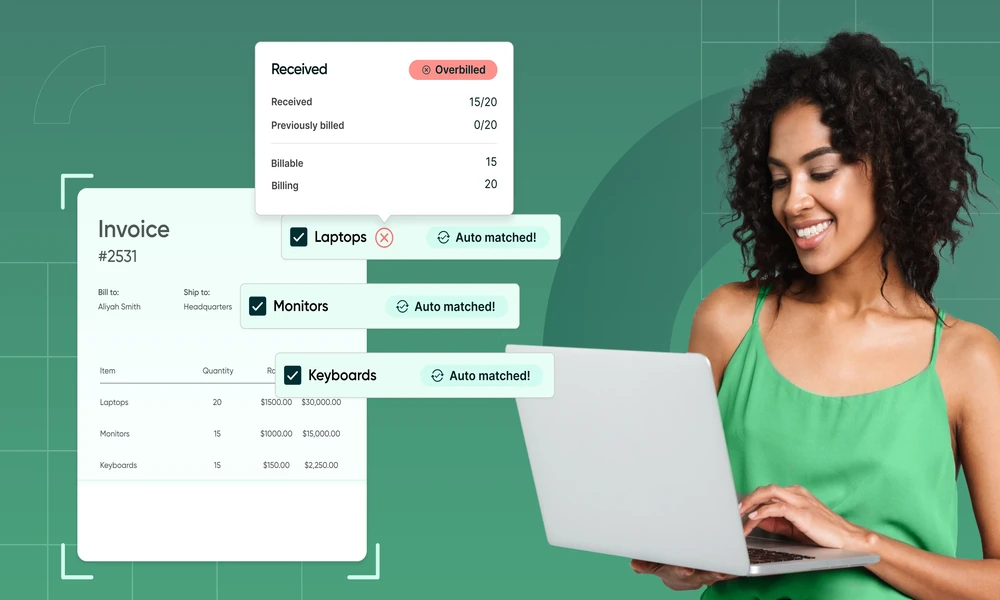
Every time a customer detail, line item, or approved change is retyped, the business gets another chance to create a dispute or billing delay. Separate estimate files, approval emails, spreadsheets, invoices, and payment notes may each be accurate on their own while telling different versions of the job.
A connected process uses invoicing software for small business to carry approved information forward, while preserving clear gates for judgment and exceptions. The goal is not one-click billing at any cost. It is one reviewable trail from proposed work to the accounting record.
Follow one job through the workflow and define what must be complete before it moves to the next status.
Where the estimate-to-paid process breaks
Common failures include the wrong billing contact, stale prices, unapproved scope, lost email acceptance, deposits that are not applied, progress invoices rebuilt in a spreadsheet, reminders sent during a dispute, and payments recorded separately from the invoice. The common cause is a broken handoff between documents and owners.
Map the stages as estimate, approval, change, invoice, payment, deposit, and reconciliation. Assign one system of record and one owner for each status. Other tools may support the work, but they should not create competing totals or customer identities.
For each stage, define an entry condition, an exit condition, and the evidence that proves completion. An estimate cannot become billable until acceptance is documented. A change cannot alter the balance until approval is recorded. A payment cannot be treated as reconciled until the customer balance and bank deposit agree. These gates keep speed from replacing control.
Create the estimate from complete customer and scope data
Start with the customer’s legal name, service and billing contacts, products or services, quantities, rates, tax treatment, payment terms, expiration date, assumptions, exclusions, schedule, and acceptance method. Treat the accepted version as the commercial source for later billing.
QuickBooks Online’s estimate workflow can record customer acceptance status and convert an accepted estimate to an invoice; estimates remain non-posting until conversion. Whatever system you use, review the converted document before sending because actual work, tax, credits, or billing dates may require an authorized adjustment.
Capture approvals and change orders as controlled events
Approval gate
Record who accepted the estimate, the date, the version, and the method of acceptance. Lock or preserve that version. A salesperson should not be able to change the accepted total silently and leave billing to explain the difference later.
Change-order gate
Document the revised scope, price, schedule effect, dependencies, approver, and effective version. Link the change to the original estimate and require approval before the additional work is billed. If the customer declines, keep the rejected change for context but exclude it from the invoice.
Carry deposits, progress billing, and the final balance forward
The invoice should show the relationship between contract value, approved changes, prior invoices, payments, credits, and the current amount due. Do not rebuild those totals in a separate worksheet when the billing system can calculate from the accepted source.
For longer jobs, QuickBooks progress invoicing can split an estimate into multiple invoices over time. Before each invoice, confirm the completed percentage or milestone, approved changes, deposit application, and remaining value. The final invoice should reconcile the full approved amount rather than introduce a new total.
Keep payment status and reminders tied to the invoice
Record each payment against the correct invoice so the remaining customer balance stays visible. The QuickBooks payment workflow supports recording payments on open invoices, which is essential when a customer pays partially or one deposit covers several transactions.
Use statuses such as sent, due, partial, paid, overdue, refunded, or disputed consistently. Automatic reminders can reduce manual follow-up, and QuickBooks supports scheduled or manual invoice reminders but exceptions need human control. Pause reminders when a dispute is active or a documented arrangement changes the expected date.
Complete the accounting handoff and reconciliation
An invoice should update accounts receivable; a recorded payment should reduce the customer balance; and the eventual bank deposit should match the processor settlement or cash receipt. Separate processor fees from gross customer payments, investigate unapplied cash, and avoid recording a new sale when the money actually settles an existing invoice.
Preserve the links back to the estimate, approvals, change orders, and payment reference. The IRS electronic-records guidance reflects the broader importance of maintaining accessible accounting records rather than relying on disconnected paper or exported summaries alone.
Set up the workflow with controls from day one
Define templates, numbering, required fields, permissions, approval thresholds, status ownership, and exception rules. Test one complete customer job before rolling out the process. Compare the estimate, approved change, invoice, payment, deposit, receivable balance, and bank match; correct the source of any mismatch.
A new business can begin with free invoicing software for a simple estimate-and-invoice sequence, then decide whether it needs progress billing, integrated payments, custom permissions, or deeper reporting. Add complexity only when the underlying handoffs are stable.
One trail from promise to payment
The value of connected invoicing is not merely faster document creation. It is continuity: approved customer and scope data flows forward, changes remain visible, payments reduce the right balance, and the books can be reconciled without reconstructing the story.
Build the status gates first, then automate the movement between them. A reliable estimate-to-paid workflow protects cash flow, customer trust, and the audit trail at the same time.